
Cloudways review: Flexible and Autonomous answer different questions
Cloudways should be evaluated as a choice of operating model, not merely a different place to buy a virtual server. Its current product presentation distinguishes Flexible from Autonomous. That distinction matters because the owner of a mixed application portfolio may want infrastructure choices, while a WordPress team may prefer to reduce direct involvement in server sizing. Our assessment starts with how much control the project needs and which operational decisions the team wants the platform to handle.
What the product descriptions support
Cloudways presents Flexible as managed hosting for applications including WordPress, Magento, Laravel and PHP across multiple cloud providers. Autonomous is presented as a managed WordPress service with automatic scaling. These are product descriptions, not evidence that any particular site will remain fast at any traffic level. A comparison should keep the two models separate and examine their limits, included services and billing. Do not transfer a feature from one product column into the other when preparing a shortlist.
A developer managing several applications
Consider a developer responsible for a content site and a separate business application. The useful question is whether both fit the chosen platform’s supported software and deployment workflow. Review runtime requirements, background jobs, storage, database access and maintenance expectations. A managed interface may simplify common operations while still imposing boundaries on server customization. Before moving a custom application, identify every external dependency and ask which responsibilities remain with the developer. Application debugging and infrastructure maintenance are not interchangeable tasks.
For a WordPress-only team, the evaluation changes. Automatic scaling can be attractive during campaigns, but it still needs a budget and a compatibility review. A heavy uncached operation can remain expensive even when capacity adjusts. Explain the application’s busiest actions rather than estimating requirements from monthly visitors alone. Keep the commercial comparison specific to the selected service, including resource usage and any optional delivery or security feature. A platform’s ability to grow does not by itself explain the cost or the practical limits of that growth.
Strengths, trade-offs and our conclusion
Cloudways merits investigation when a project wants managed cloud hosting with an explicit choice between different operating approaches. The trade-off is the need to understand that choice and its billing structure. We would examine Flexible for a compatible application portfolio and Autonomous for a WordPress workload where the managed scaling model is relevant. Neither is automatically the best fit for a very simple site or an application requiring unrestricted server control. This is a research-based product assessment, not a claim that we tested scaling under load. Apply the common HostAlba framework below to the exact plan and application before making the decision.
Shared HostAlba hosting evaluation framework
Read the plan as an operating agreement
A hosting plan is a collection of responsibilities and limits, not simply a storage allowance. Before comparing prices, describe the website that will run on it. A brochure site with a few contact forms behaves differently from a membership service where every visitor signs in. A store must process baskets, payments, stock changes and transactional messages. Those actions can depend on the database and PHP even when public pages are cached. Write down the activities that must continue working during your busiest hour, then compare the plan against that workload.
Separate features included in the selected plan from features advertised elsewhere on the provider’s website. A backup tool in a managed WordPress product does not automatically belong to a shared plan. A control panel available on one VPS configuration may have a separate licence on another. Keep a short record of the exact plan name, billing period and relevant documentation. If a feature is essential and the comparison table is ambiguous, obtain a written answer that identifies the specific product. This record is more useful than a screenshot of a promotional headline.
Build a realistic ownership budget
Compare the amount due now with the amount due at renewal. A monthly equivalent on a yearly plan is not necessarily a monthly payment. Calculate hosting over the period you expect to keep the website, adding domain renewal, required email services, backup storage and any paid management option. Include taxes or currency conversion only when they apply to your actual checkout. Do not treat an optional upgrade as compulsory, but do not remove a necessary service just to make the comparison look cheaper.
A useful worksheet has four columns: service, initial charge, renewal charge and reason it is needed. Record any resource overage separately because it depends on usage. Then consider a normal month and a busy month. The purpose is not to predict traffic perfectly; it is to notice whether a successful campaign could create an unexpectedly large bill. Recheck the current cancellation and refund terms before committing to a long period. Domain registrations, migration work, add-ons and hosting subscriptions may have different treatment. A generous headline refund window does not explain every exclusion.
Measure the experience visitors actually receive
Storage technology and server specifications describe ingredients, not the finished experience. A fast server can still deliver a slow page when a large hero image, advertising script or poorly configured plugin delays rendering. Test the homepage, an article and an important action such as search or checkout. Use the same content and test location when comparing environments. Record whether the page is cached and whether the visitor is signed in, because those conditions can change the workload substantially.
For a new deployment, establish a baseline before adding several optimization plugins. Look for large images, unnecessary third-party scripts, slow database queries and error responses. Change one variable at a time and keep the result. A single speed score is not an uptime study, and an uptime promise is not a measurement of your site. If you perform a load test, use an authorized environment and remain within the host’s testing rules. This review supplies an evaluation method, not invented response-time figures or a claim that we have benchmarked a production account.
Make backups recoverable, not merely available
The important backup question is whether you can restore the right data quickly enough. Identify what is covered: files, databases, email and configuration may follow different policies. Check frequency, retention, storage location and access to earlier versions. A server snapshot and a downloadable website backup serve different purposes. Also ask what happens to the copies if the hosting account is cancelled or inaccessible. A backup stored only inside the account can be difficult to use when that account is the part that failed.
Keep an independent copy of important content and test a restoration in a separate environment. Open the restored pages, sign in and verify forms or transactions using appropriate test settings. For an active shop, restoring yesterday’s database may discard orders placed since that backup. Plan how recent transactions would be reconciled rather than pressing restore without considering the business effect. Document who can authorize recovery and where the instructions are kept. The goal is a repeatable process that another trusted administrator could follow, not a collection of archive files nobody has opened.
Plan migration as a controlled change
Inventory the current website before moving it. Include domain records, mailboxes, scheduled jobs, redirects, certificates, media and any external services that call the site. Copying WordPress files does not necessarily transfer email or a custom application. Clarify the scope of any migration assistance and what the provider expects you to prepare. Keep the original site available until the new environment has passed checks. For a dynamic site, decide when content changes or orders will pause so that two different databases do not continue receiving updates independently.
Test the destination before changing public DNS whenever the platform provides a suitable preview method. Check important URLs, mobile navigation, HTTPS, forms and payment test flows. Preserve established page addresses where possible; changing the host is not a reason to redesign every URL. After switching, monitor both the website and email delivery. Keep a rollback decision point and an up-to-date backup. If something fails, record the failing URL, time and error so that support can distinguish a DNS issue from an application problem. A migration is complete when visitors can perform the important tasks, not merely when the homepage loads.
Keep email and website delivery distinct
A mailbox, a contact-form message and a newsletter are separate services even if they use the same domain. Determine whether the plan includes mailboxes or expects an external provider. Transactional delivery for receipts and password resets needs its own configuration and testing. Receiving an email in one personal inbox does not prove reliable delivery for every recipient. Use the mail provider’s instructions for domain authentication, and avoid replacing existing DNS records without understanding which services use them.
For newsletters, collecting an address is only the beginning. Record consent, provide an effective unsubscribe method and use a sending service suited to the expected volume. A web-hosting account should not be assumed to include campaign delivery. When migrating, preserve existing mail records unless the mailbox service is also moving. Make a test matrix covering incoming mail, outgoing mail, the contact form and password resets. This distinction prevents a common launch problem: a website appears healthy while important messages are silently missing. Include email administration and any separate fee in the ownership budget.
Define who maintains each layer
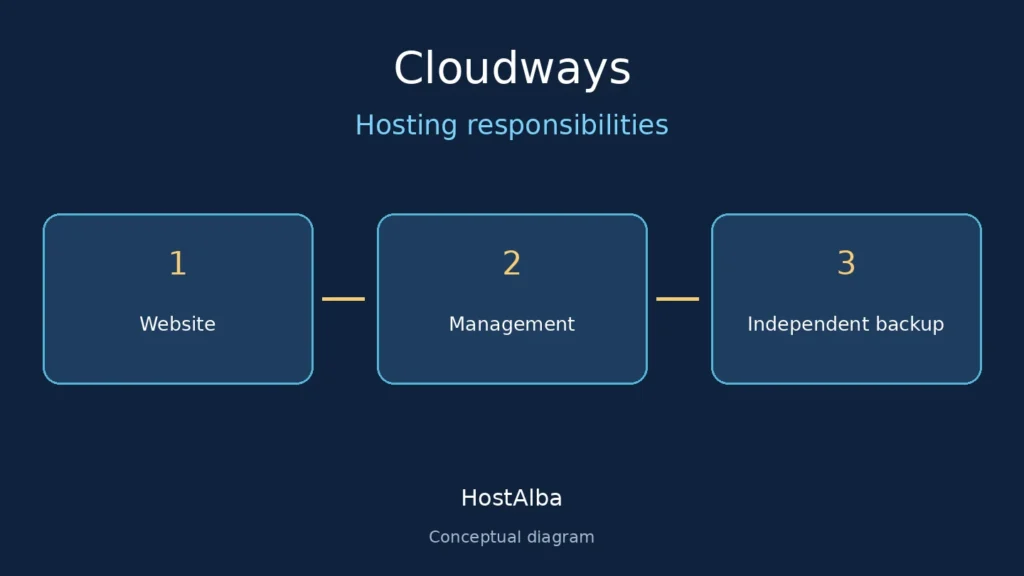
Managed hosting does not make every application decision for you. Establish who updates the operating system, the web server, WordPress, themes and plugins. Record which incidents support will investigate and which require a developer. A provider may keep the server available while an incompatible plugin still breaks checkout. Likewise, malware detection does not establish that every vulnerability in a custom theme will be repaired. Read the actual scope of the service before relying on the word managed.
Use individual administrator accounts, keep permissions proportionate to each person’s work and enable supported account protections. Store recovery details in a place you can access if the main website is unavailable. Before major changes, test on staging and know how to reverse the release. Remove unused plugins and themes rather than leaving abandoned components installed. These are operating practices, not a reason to buy every security add-on. The sensible choice is the combination of hosting responsibilities and your own maintenance process that leaves no essential task without an owner.
Match support and growth to your project
Evaluate support with a concrete question about your configuration. Ask how a restoration works, whether a particular migration is included or what happens when a resource limit is reached. A useful answer explains the steps and the responsible team. A fast greeting alone does not tell you how a difficult incident will be handled. Keep a basic incident record with timestamps, affected pages and changes made immediately before the failure. Avoid sending passwords or complete customer databases in ordinary support messages.
Growth can mean more visitors, more stored media, more separate client sites or a more demanding application. Those are different reasons to upgrade. Investigate the actual bottleneck before moving to a larger plan. If storage is growing because backups are accumulating in the public account, housekeeping may be the first step. If uncached requests exhaust available processing resources, an application change or a more suitable hosting architecture may be needed. Ask whether upgrades require a migration, whether a later downgrade is possible and what resource billing continues after an application is removed.
Apply a practical launch and review checklist
Before launch, verify the domain, certificate, homepage, contact page, navigation and one representative page from each content type. Open the site on a real phone as well as a desktop. Check portrait layout, readable text, form errors and horizontal scrolling. Run a test restoration, confirm transactional email and record the next renewal date. Check that a private staging site remains private while the intended public site is allowed to be indexed. A successful installation does not automatically mean the site is ready for search engines or visitors.
After launch, review the account when something meaningful changes: a new store, a redesign, a traffic campaign, a large increase in media or a renewal notice. Keep the process short enough to repeat. The final decision should answer three questions: does the selected product fit the workload, can the team operate it safely, and is the total cost sustainable? If one answer remains uncertain, resolve that uncertainty with a specific test or written clarification. A smaller plan that meets clear requirements is often a better decision than a larger plan bought to compensate for missing information.
Official sources
- www.cloudways.com — en
- www.cloudways.com — cloudflare-hosting
- developers.cloudways.com — developers.cloudways.com
Reviews from external sources (20)
Names, ratings and dates were observed on the external source. The short localized text describes only the rating level and is not a translation of the original review. This sample is not representative. Purchases and experiences were not independently verified.
★★★★★ (5/5)
The reviewer describes the experience very positively.
Date shown by source: 2026-09-08★★★★★ (5/5)
The reviewer describes the experience very positively.
Date shown by source: 2026-09-08★★★★★ (5/5)
The reviewer reports a very positive experience.
Date shown by source: 2026-09-05★★★★★ (5/5)
The reviewer reports a very positive experience.
Date shown by source: 2026-09-04★★★★★ (5/5)
The reviewer reports a very positive experience.
Date shown by source: 2026-09-03★★★★★ (5/5)
The reviewer reports a very positive experience.
Date shown by source: 2026-09-03★★★★★ (5/5)
The reviewer expresses strong satisfaction with the service.
Date shown by source: 2026-09-02★★★★★ (5/5)
The reviewer describes the experience very positively.
Date shown by source: 2026-09-02★★★★★ (5/5)
The reviewer reports a very positive experience.
Date shown by source: 2026-09-02★★★★★ (5/5)
The reviewer describes the experience very positively.
Date shown by source: 2026-09-02★★★★★ (5/5)
The reviewer expresses strong satisfaction with the service.
Date shown by source: 2026-08-31★★★★★ (5/5)
The reviewer reports a very positive experience.
Date shown by source: 2026-08-30★☆☆☆☆ (1/5)
The reviewer reports a strongly negative experience.
Date shown by source: 2026-08-30★★★★★ (5/5)
The reviewer describes the experience very positively.
Date shown by source: 2026-08-28★★★★★ (5/5)
The reviewer reports a very positive experience.
Date shown by source: 2026-08-26★★★★★ (5/5)
The reviewer describes the experience very positively.
Date shown by source: 2026-08-26★★★★★ (5/5)
The reviewer describes the experience very positively.
Date shown by source: 2026-08-25★★★★★ (5/5)
The reviewer reports a very positive experience.
Date shown by source: 2026-08-26★★★★★ (5/5)
The reviewer reports a very positive experience.
Date shown by source: 2026-08-26★★★★★ (5/5)
The reviewer reports a very positive experience.
Date shown by source: 2026-08-26Visitor reviews
No visitor ratings yet.